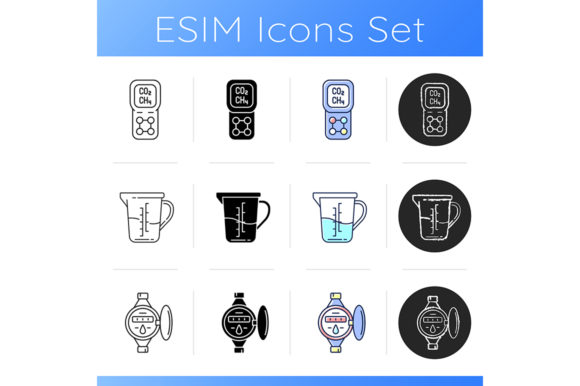
Measurement Tools Icons Set
A Designer’s First Stitch: What This Set *Actually* Looks Like on Fabric
As someone who’s stitched hundreds of icons onto everything from linen tea towels to baby onesies, I opened the Measurement Tools Icons Set expecting clean utility—but what stood out first wasn’t just clarity, it was *intention*. These aren’t generic clipart knockoffs. The gas leak detector icon has subtle directional arrows; the measuring cup shows a gentle pour curve; the water meter includes readable (but not fussy) dial detail. That matters—because embroidery flattens nuance. When you translate vector lines into satin and fill stitch, weak structure collapses. This set holds up.
Where It Shines (and Where It Asks for Thought)
I tested three icons—the culinary measuring cup, the linear-style water meter, and the black-only gas detection icon—on a medium-weight cotton tote, a brushed poly-cotton sweatshirt, and a 100% linen kitchen towel. Here’s what landed:
- Tote bags & aprons: Perfect. The icons read clearly at 2.5"–3.5" wide. No stitch crowding, no lost definition—even in the cup’s curved rim or the meter’s tick marks. Customers notice that polish. It reads as “designed,” not “downloaded.”
- Sweatshirts & baby onesies: Use the black or linear versions only. RGB color blocks are charming on screen, but split-threading across dense knit fabric risks muddiness unless you’re using high-contrast thread (e.g., white on navy with 40wt polyester). The black style? Crisp, confident, camera-ready.
- Patches & caps: Proceed with caution on curved surfaces. The water meter’s narrow dial and the gas detector’s fine sensor lines shrink fast below 2". I’d skip those two for front-of-cap work—but the measuring cup, simplified to its silhouette, stitched beautifully at 1.75" on a twill patch.
- Tea towels & nursery decor: A natural fit. The clean lines echo Scandinavian kitchen aesthetics and modern baby branding. Paired with soft-thread stitching (60wt cotton), it feels handmade—not digital. Buyers associate that with care and attention.
Fabric & Function: What You’ll Need to Watch
This isn’t a “set it and forget it” embroidery file. Its strength is precision—and precision demands context awareness:
- Thin or stretchy fabric? Stabilizer isn’t optional—it’s structural. Use cutaway + tear-away combo for knits, and medium-weight cutaway for lightweight linens. Those fine meter lines won’t hold without it.
- Dark backgrounds? The RGB version assumes light fabric. On charcoal or black, stick to the black/linear files—or manually adjust thread colors in your embroidery software before digitizing. Don’t assume auto-color mapping will preserve legibility.
- Washability matters. These icons often land on kitchen or baby items. High stitch density in small areas (like the gas detector’s gauge needle) can stiffen fabric over time. Test wash a sample: if the center puckers or threads fray at sharp corners, reduce fill density by 10–15% in your editing software.
- Hoop size realism. The ZIP includes isolated vectors—not pre-digitized embroidery files. You (or your digitizer) will need to convert them. Check your smallest hoop before committing: the most detailed icon (water meter) needs at least a 4"x4" hoop for clean execution at 3" scale.
Why This Set Builds Trust—Not Just Decoration
When I embroidered the measuring cup onto a baker’s apron for a local café pop-up, customers didn’t just say “cute.” They said, “Oh—you *bake*?” That’s recognition working. The icon isn’t abstract. It signals purpose, expertise, warmth. That kind of visual shorthand elevates a handmade product from “nice” to “meaningful.”
For Etsy sellers or small shop owners, that translates directly: clear, thematic icons like these improve click-through on listings, support cohesive branding across social mockups, and make printable mockups feel authentic—not stocky. And because they’re isolated vector illustrations, you can recolor, resize, or pair them with custom text without pixelation. That flexibility is gold for seasonal bundles (e.g., “Bakery Basics” for spring, “Home Utility” for fall).
Practical Designer Notes Before You Stitch
Before sending this to your machine—or listing a finished item online—do these six things:
- Test on scrap fabric that matches your final project (same weight, weave, stretch).
- Check thread color contrast in natural light—not just your screen. What looks bold on monitor may disappear on oatmeal linen.
- Review stitch density in tight zones (dials, handles, sensor tips). Over-stitching causes stiffness; under-stitching loses shape.
- Confirm licensing scope before selling finished products or digital embroidery files. The description says “ZIP file”—but commercial use rights must be verified directly with the creator.
- Try black-and-white mockups. If it reads cleanly in grayscale, it’ll hold up across fabric colors and lighting conditions.
- Use proper stabilizer for your fabric + icon complexity. Skip this step, and even the best Measurement Tools Icons Set becomes a puckered disappointment.
Final Thought: A Quietly Versatile Asset
This isn’t flashy design. It’s thoughtful design—built for repetition, readability, and real-world wear. Whether you’re embroidering a personalized gift for a plumber, a boutique tote for a baking subscription box, or a subtle patch for a sustainability-focused apparel line, the Measurement Tools Icons Set delivers quiet professionalism. It doesn’t shout. It clarifies. And in handmade markets—where authenticity and intention sell—that’s worth more than any trend.